Link
If these steps do not help, please see the Reset the Configuration Wizard article
From time to time the Outlook client may either lose connection with your database, or not start with Outlook at all. If Outlook itself crashes, it can automatically disable all Add-Ins.
- Close Outlook
- Open your computer’s START Menu
- Navigate to All Programs > Microsoft Dynamics CRM folder
- Run the app called Diagnostics

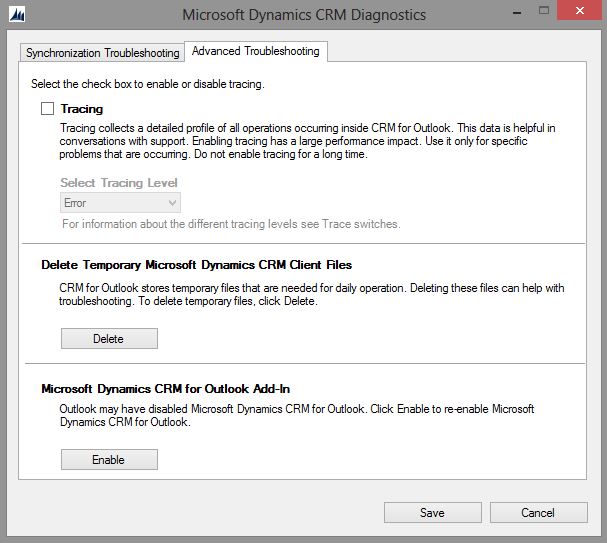
- On the second tab Advanced Troubleshooting
- Click the Delete Temporary Files button
- Click the Enable Add-In button
- Click Save
- Restart Outlook