There are a few personal options worth checking, to make sure your experience is localised.
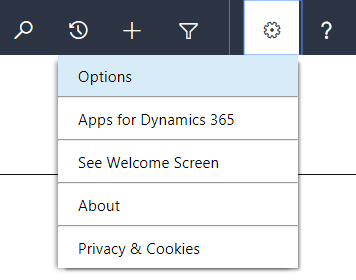
- Click the Settings button on the navigation bar (near top-right)
- Select Options
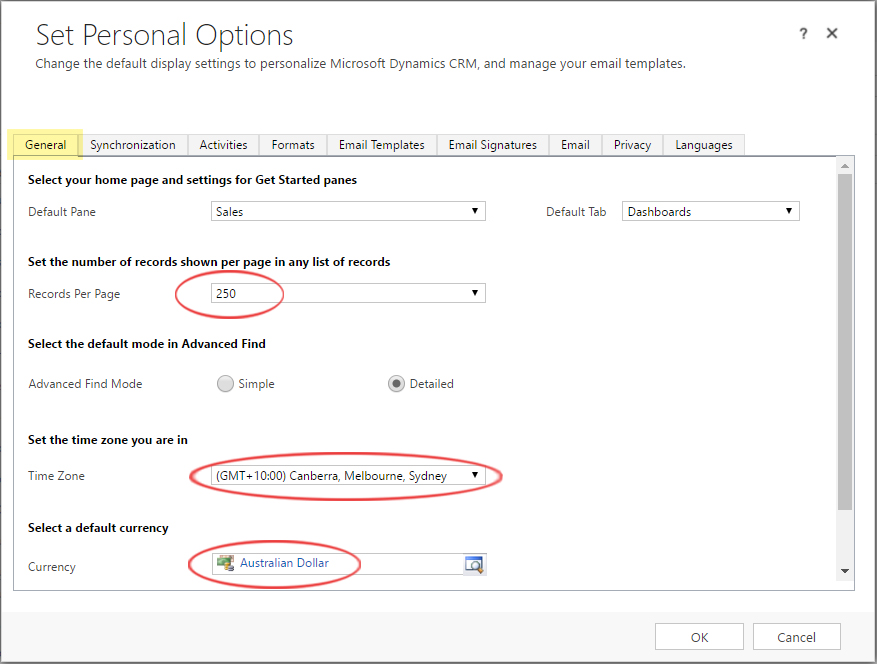
- Select the General tab
- Set Records Per Page to 250
- Set the Time Zone to your local region
- Set Currency to Australian Dollar
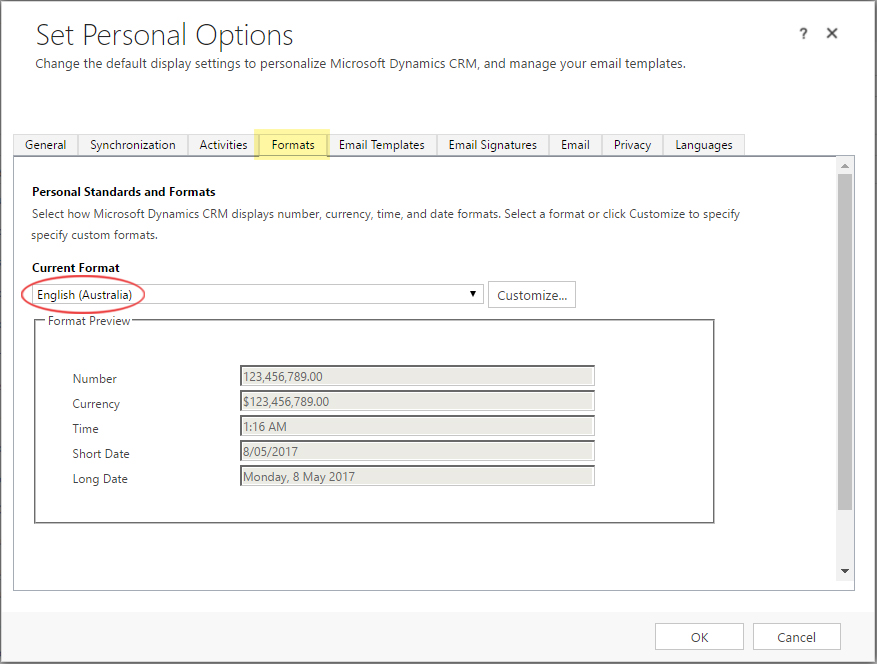
- Select the Formats tab
- Set Current Format to English (Australia)
- Select the Email tab
- Uncheck Create to make sure unwanted Contacts are not created when tracking
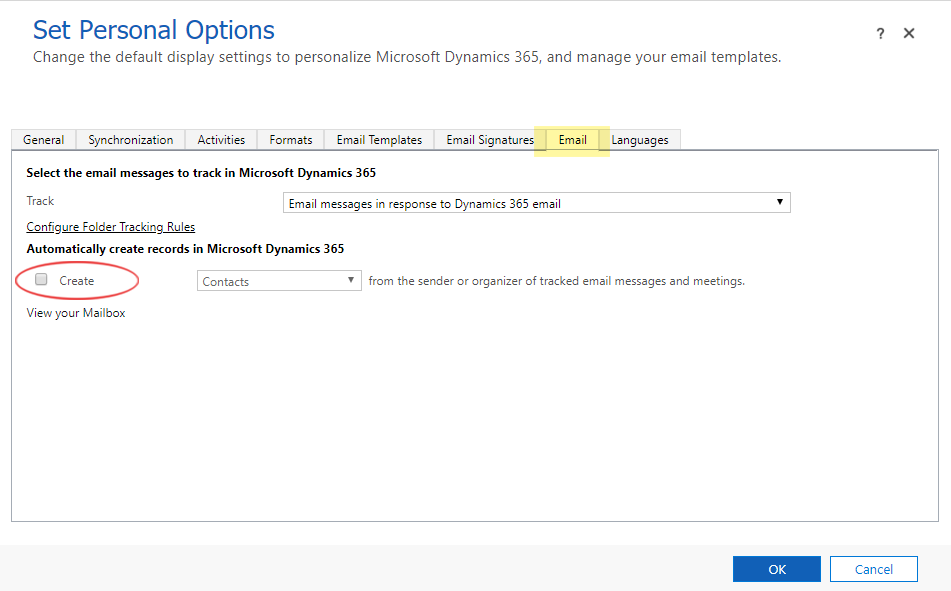
- Click OK to finish