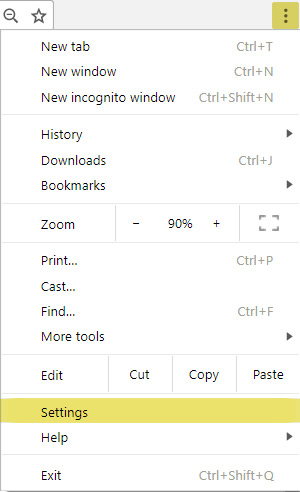
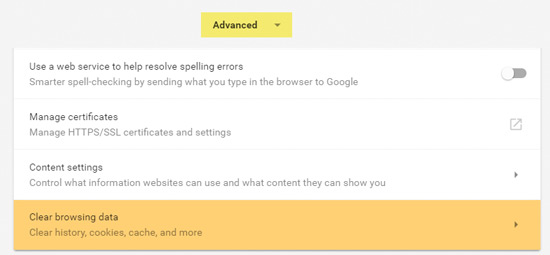
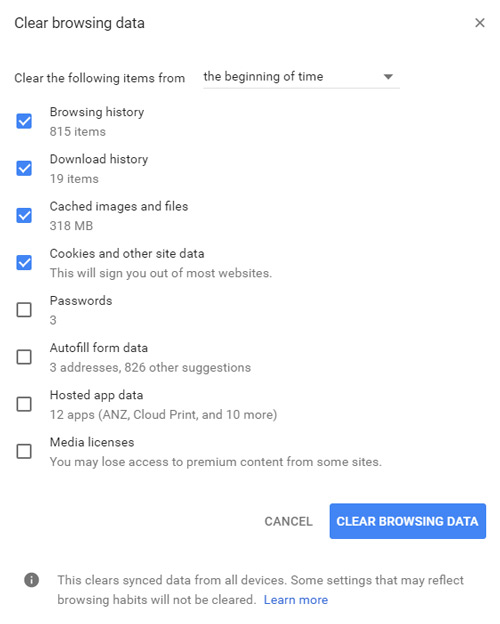
Clearing Cache (Chrome) Open Chrome browser Click the Menu icon, then select Settings Scroll down, and click the Advanced toggle to expand more items Select Clear browsing data The default options are usually ok, so click Clear Browsing Data Restart your browser