- Open Internet Explorer browser
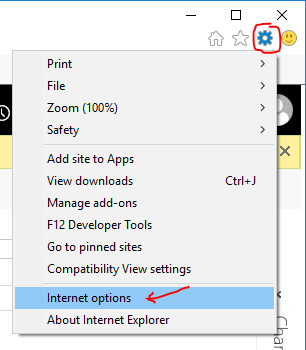
- Click the Tools icon, then select Internet options
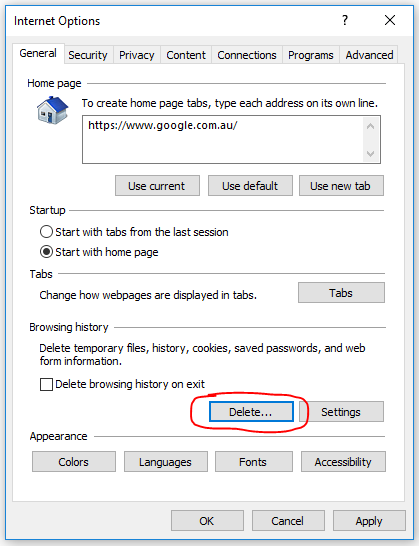
- In the Browsing History section, click Delete...
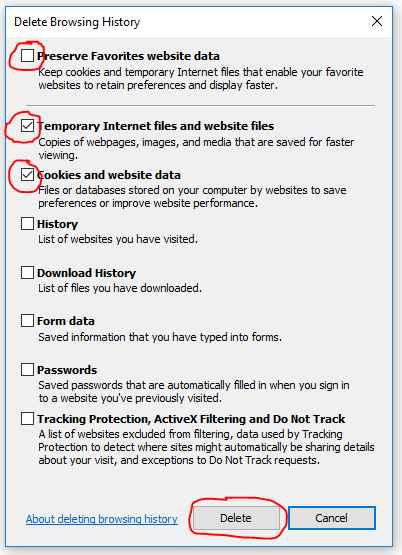
- Make your tickboxes mirror those below in our screenshot, then click Delete
- Uncheck Preserve Favorites website data
- Tick Temporary Internet files and website files
- Tick Cookies and website data
- Click OK to close out of all windows
- Restart your browser